Setting Up AI Coding Assistants for Large Multi-Repo Solutions

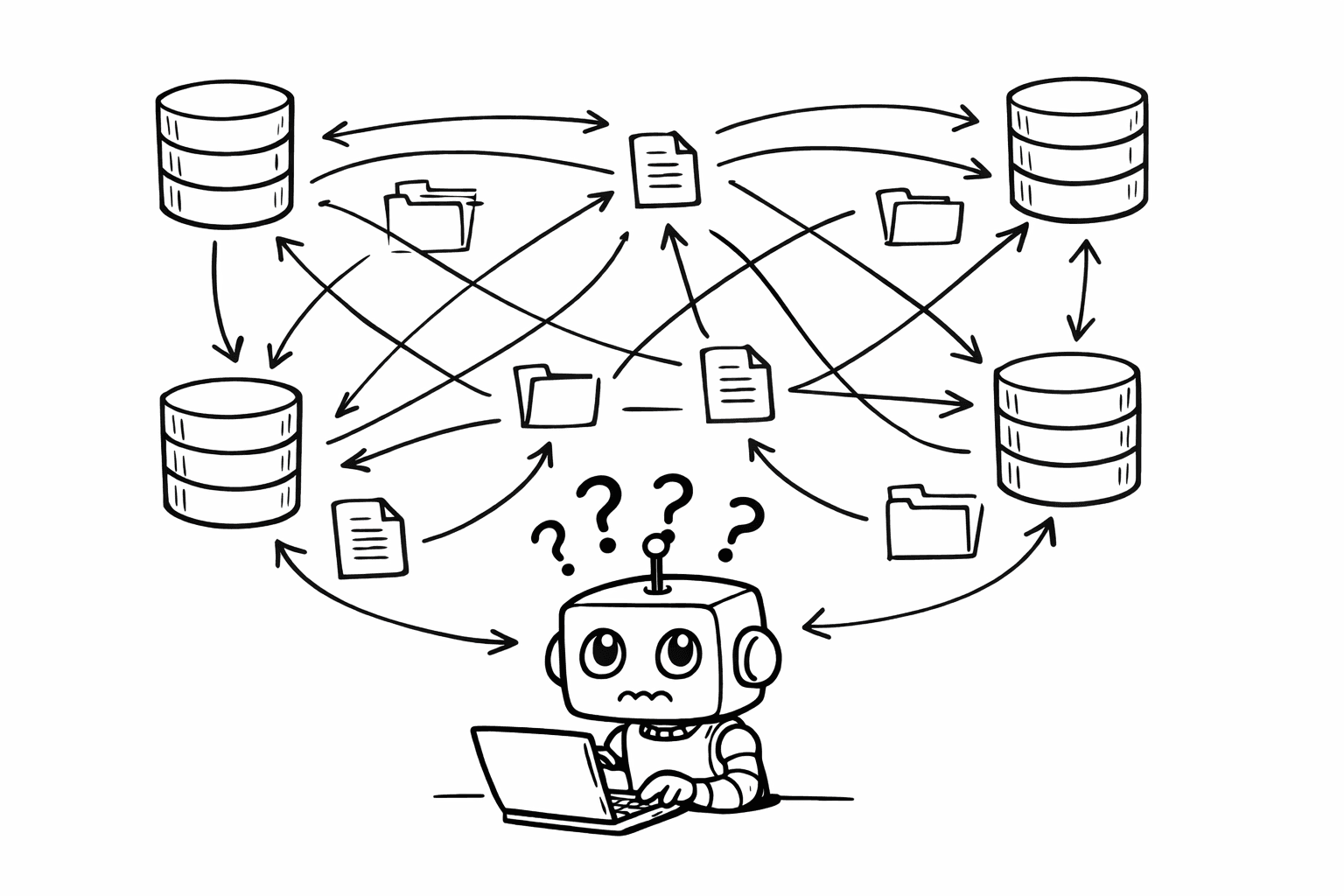
Modern software architectures often span multiple repositories—microservices, micro-frontends, shared libraries, and infrastructure code. While this separation provides organizational benefits, it creates significant challenges when working with AI coding assistants like Cursor, Claude Code, or GitHub Copilot. This article explores a practical solution that gives AI agents full context across your entire solution without requiring a disruptive monorepo migration.
The Multi-Repo Challenge
In a typical microservices and micro-frontend architecture, you might have:
- Backend Services: User service, Order service, Payment service, Notification service
- Frontend Applications: Admin dashboard, Customer portal, Mobile web app
- Shared Libraries: Common utilities, UI components, API clients
- Infrastructure: Kubernetes configs, Terraform, CI/CD pipelines
- Documentation: API docs, architecture decisions, runbooks
Each repository is independently versioned, deployed, and maintained. This separation is intentional and beneficial for team autonomy, but it creates problems when AI coding assistants (Cursor, Claude Code, GitHub Copilot) need to understand the full picture.
The Context Problem
When working with AI agents in a multi-repo setup, you encounter several frustrating scenarios:
Scenario 1: Feature Development Across Repos
The Problem:
You: "Build a new feature to allow users to upload profile pictures"

Agent:
1. Implements backend API endpoint in user-service repo ✓
2. Tries to implement frontend component...
   - Doesn't know the frontend structure
   - Doesn't know which API client to use
   - Doesn't know the UI component library
   - Creates code that doesn't match existing patterns
The Reality:
- You manually switch to the frontend repo
- Copy context from backend implementation
- Try to explain the API structure to the agent
- Agent still misses important details
- Multiple iterations required
Scenario 2: Frontend Changes Without Backend Context
The Problem:
You: "Update the user profile form to include a phone number field"

Agent:
- Updates frontend form ✓
- Doesn't know backend validation rules
- Doesn't know database schema constraints
- Doesn't know API contract requirements
- Creates frontend code that won't work with backend
The Reality:
- Frontend changes look correct
- Tests fail when integrated
- Backend rejects the data
- You discover the mismatch during integration
- More iterations and context-switching required
Scenario 3: Bug Fixing Across Boundaries
The Problem:
You: "Fix the bug where user orders aren't showing in the dashboard"

Agent (working in frontend repo):
- Examines frontend code
- Can't see backend API responses
- Can't see database queries
- Can't see service-to-service communication
- Makes assumptions about the root cause
- Implements a frontend workaround instead of fixing the backend issue
The Reality:
- Bug appears in frontend (symptom)
- Root cause is in backend service (actual problem)
- Agent fixes the wrong thing
- Bug persists or gets worse
- Time wasted on incorrect fixes
Why Not Just Use a Monorepo?
The most obvious solution might seem to be migrating everything into a monorepo. While monorepos have benefits, they also come with significant costs:
Monorepo Challenges
Migration Overhead: Moving multiple repos into one requires:
- Rewriting CI/CD pipelines
- Updating deployment processes
- Retraining team members
- Migrating git history (or losing it)
- Updating documentation and tooling
Tooling Changes: Monorepo tools (Nx, Turborepo, Bazel) require:
- Learning new build systems
- Restructuring project dependencies
- New caching strategies
- Different testing approaches
Team Disruption:
- Different teams may prefer different workflows
- Some repos might have different access controls
- Release cycles might be independent
- Forced synchronization can slow down development
Risk:
- Large-scale refactoring introduces risk
- Potential for breaking existing workflows
- Time investment before seeing benefits
When Monorepo Makes Sense
Monorepos are excellent when:
- Starting a new project
- Repos are tightly coupled and always released together
- You have resources for migration and tooling
- Team is aligned on the approach
But if you have an existing multi-repo solution that's working, there's a better way.
The Root Repo Solution
Instead of migrating everything, create a solution root repository that acts as a coordination layer for AI coding assistants. This approach:
- ✅ Provides full context to AI agents
- ✅ Requires zero changes to existing repos
- ✅ Works with any AI coding assistant (Cursor, Claude Code, GitHub Copilot)
- ✅ Can be set up in minutes
- ✅ Doesn't disrupt existing workflows
- ✅ Allows gradual adoption
How It Works
The root repo contains:
- Agents.md: Instructions describing all repos and their purposes
- MCP Configuration: Connections to GitHub, Azure DevOps, Jira, databases
- Clone Script: Automated script to clone all repos with consistent structure
- Gitignore: Excludes cloned repos from version control
- Documentation: Solution architecture, setup instructions, workflows
When a developer clones the root repo and runs the clone script, they get:
- All repos in a consistent folder structure
- AI agents (Cursor, Claude Code, GitHub Copilot) with full context across the solution
- Ability to make changes across multiple repos
- Automated PR creation across repos
Step-by-Step Setup
Step 1: Create the Root Repository
Create a new repository (e.g., my-solution-root or company-platform-root):
mkdir my-solution-root
cd my-solution-root
git init
Step 2: Create the Repository Structure
my-solution-root/
├── .gitignore
├── Agents.md
├── clone-repos.sh
├── mcp-config.json (optional, if using MCP)
├── README.md
└── repos/              # This folder will contain cloned repos
    ├── .gitkeep        # Keep folder in git
Step 3: Configure .gitignore
Create .gitignore to exclude cloned repositories:
# Exclude all cloned repositories
repos/*/

# But keep the repos directory itself
!repos/.gitkeep

# Standard ignores
.DS_Store
*.log
.env
node_modules/
Step 4: Create Agents.md
This is the heart of the solution. Agents.md provides context to AI agents about your entire solution:
# Solution Architecture and Repository Guide

## Overview
This solution consists of multiple microservices and micro-frontends. Each repository serves a specific purpose and can be developed independently, but they work together to form a complete platform.

## Repository Structure

### Backend Services

#### user-service (`repos/user-service`)
- **Purpose**: User management, authentication, and authorization
- **Tech Stack**: .NET 8, ASP.NET Core, Entity Framework Core, PostgreSQL
- **Key Responsibilities**:
  - User CRUD operations
  - JWT token generation and validation
  - Password hashing and reset flows
  - User profile management
- **API Endpoints**: `/api/users/*`, `/api/auth/*`
- **Database**: `users` database, tables: `users`, `user_sessions`, `password_resets`
- **Dependencies**: `shared-common`, `shared-messaging`
- **Deployment**: Kubernetes service `user-service`, port 8080

#### order-service (`repos/order-service`)
- **Purpose**: Order processing and management
- **Tech Stack**: .NET 8, ASP.NET Core, Entity Framework Core, PostgreSQL, RabbitMQ
- **Key Responsibilities**:
  - Order creation and processing
  - Order status tracking
  - Payment integration
  - Order history
- **API Endpoints**: `/api/orders/*`
- **Database**: `orders` database, tables: `orders`, `order_items`, `order_status_history`
- **Dependencies**: `user-service` (via API), `payment-service` (via message queue)
- **Deployment**: Kubernetes service `order-service`, port 8081

#### payment-service (`repos/payment-service`)
- **Purpose**: Payment processing and transaction management
- **Tech Stack**: .NET 8, ASP.NET Core, Entity Framework Core, PostgreSQL
- **Key Responsibilities**:
  - Payment processing (credit cards, PayPal, bank transfers)
  - Transaction recording
  - Refund processing
  - Payment method management
- **API Endpoints**: `/api/payments/*`, `/api/transactions/*`
- **Database**: `payments` database, tables: `transactions`, `payment_methods`, `refunds`
- **Dependencies**: External payment gateways (Stripe, PayPal APIs)
- **Deployment**: Kubernetes service `payment-service`, port 8082

### Frontend Applications

#### admin-dashboard (`repos/admin-dashboard`)
- **Purpose**: Administrative interface for managing the platform
- **Tech Stack**: React 18, TypeScript, Vite, Tailwind CSS, React Query
- **Key Features**:
  - User management
  - Order monitoring
  - System configuration
  - Analytics and reporting
- **API Client**: Uses `shared-api-client` to communicate with backend services
- **Authentication**: JWT tokens stored in localStorage, validated by `user-service`
- **Deployment**: Static files served via CDN, routes to `/admin/*`

#### customer-portal (`repos/customer-portal`)
- **Purpose**: Customer-facing web application
- **Tech Stack**: React 18, TypeScript, Next.js 14, Tailwind CSS
- **Key Features**:
  - Product browsing
  - Shopping cart
  - Order placement and tracking
  - Account management
- **API Client**: Uses `shared-api-client` for backend communication
- **Authentication**: OAuth flow with `user-service`
- **Deployment**: Next.js application, routes to `/*` (root)

### Shared Libraries

#### shared-common (`repos/shared-common`)
- **Purpose**: Common utilities and models shared across backend services
- **Tech Stack**: .NET Standard 2.1
- **Contents**:
  - Common data models (User, Order, etc.)
  - Utility functions
  - Extension methods
  - Constants and enums
- **Usage**: Referenced as NuGet package by all backend services

#### shared-api-client (`repos/shared-api-client`)
- **Purpose**: TypeScript client for backend APIs
- **Tech Stack**: TypeScript, Axios
- **Contents**:
  - API client classes
  - Type definitions matching backend DTOs
  - Request/response interceptors
  - Error handling
- **Usage**: NPM package used by all frontend applications

#### shared-ui-components (`repos/shared-ui-components`)
- **Purpose**: Reusable UI components
- **Tech Stack**: React 18, TypeScript, Storybook
- **Contents**:
  - Button, Input, Modal, Table components
  - Form components
  - Layout components
  - Design system tokens
- **Usage**: NPM package used by all frontend applications

### Infrastructure

#### infrastructure (`repos/infrastructure`)
- **Purpose**: Infrastructure as Code and deployment configs
- **Tech Stack**: Terraform, Kubernetes YAML, Helm charts
- **Contents**:
  - Kubernetes deployments
  - Service definitions
  - Ingress configurations
  - Terraform for cloud resources
- **Deployment**: Applied via CI/CD pipelines

## Development Workflow

### Branch Naming Convention
- Feature: `feature/{repo-name}/{short-description}`
- Bugfix: `bugfix/{repo-name}/{short-description}`
- Hotfix: `hotfix/{repo-name}/{short-description}`

### Multi-Repo Feature Development
When implementing a feature that spans multiple repos:
1. Create branches in all affected repos with the same feature name
2. Start with backend changes (API contracts)
3. Update shared libraries if needed
4. Implement frontend changes
5. Create PRs in dependency order (backend → shared → frontend)
6. Link PRs together with cross-references

### Commit Message Format
{type}({repo-name}): {description}
{body}
Related: #{issue-number}
Types: `feat`, `fix`, `docs`, `refactor`, `test`, `chore`

## API Contracts

### User Service API
- Base URL: `https://api.example.com/users`
- Authentication: Bearer token (JWT)
- Key Endpoints:
  - `GET /api/users/{id}` - Get user details
  - `POST /api/users` - Create user
  - `PUT /api/users/{id}` - Update user
  - `POST /api/auth/login` - Login
  - `POST /api/auth/refresh` - Refresh token

### Order Service API
- Base URL: `https://api.example.com/orders`
- Authentication: Bearer token (JWT)
- Key Endpoints:
  - `GET /api/orders` - List orders (with filters)
  - `POST /api/orders` - Create order
  - `GET /api/orders/{id}` - Get order details
  - `PUT /api/orders/{id}/status` - Update order status

## Database Schema Overview

### Users Database
- `users`: id, email, password_hash, created_at, updated_at
- `user_sessions`: id, user_id, token, expires_at
- `password_resets`: id, user_id, token, expires_at

### Orders Database
- `orders`: id, user_id, total_amount, status, created_at
- `order_items`: id, order_id, product_id, quantity, price
- `order_status_history`: id, order_id, status, changed_at

## Common Patterns

### Error Handling
- Backend: Use standard HTTP status codes, return error DTOs
- Frontend: Catch errors, display user-friendly messages, log to error tracking

### Authentication Flow
1. User logs in via `customer-portal` or `admin-dashboard`
2. Frontend calls `user-service` `/api/auth/login`
3. `user-service` returns JWT token
4. Frontend stores token and includes in all API requests
5. Backend services validate token with `user-service`

### Service Communication
- Synchronous: HTTP REST APIs
- Asynchronous: RabbitMQ message queues
- Service Discovery: Kubernetes DNS

## Testing Strategy

### Backend Services
- Unit tests: xUnit, Moq
- Integration tests: TestContainers for databases
- API tests: Postman collections

### Frontend Applications
- Unit tests: Jest, React Testing Library
- E2E tests: Playwright
- Visual regression: Percy

## When Making Changes

### Cross-Repo Changes
When a feature requires changes in multiple repos:
1. **Identify all affected repos** from the list above
2. **Start with dependencies**: Update shared libraries first
3. **Backend first**: Implement API changes before frontend
4. **Update API client**: Regenerate or update `shared-api-client` after backend changes
5. **Frontend last**: Implement UI changes after APIs are ready
6. **Link PRs**: Reference related PRs in each repository

### Adding New Repositories
1. Add repository entry to this Agents.md file
2. Add clone command to `clone-repos.sh`
3. Update this documentation with repo details

## MCP Integration

This solution uses Model Context Protocol (MCP) to connect AI agents to external systems:

- **GitHub**: For repository management and PR creation
- **Azure DevOps**: For work items and pipeline status
- **Jira**: For issue tracking and bug management
- **PostgreSQL**: For database queries and schema inspection

See `mcp-config.json` for configuration details.
Step 5: Create the Clone Script
Create clone-repos.sh to automate repository cloning:
#!/bin/bash

# Solution Repository Clone Script
# This script clones all repositories needed for the solution
# Run this after cloning the root repository

set -e  # Exit on error

REPOS_DIR="repos"
SCRIPT_DIR="$(cd "$(dirname "${BASH_SOURCE[0]}")" && pwd)"

# Colors for output
GREEN='\033[0;32m'
YELLOW='\033[1;33m'
RED='\033[0;31m'
NC='\033[0m' # No Color

echo -e "${GREEN}Starting repository clone process...${NC}"
echo ""

# Create repos directory if it doesn't exist
mkdir -p "$REPOS_DIR"
cd "$REPOS_DIR"

# Function to clone or update a repository
clone_repo() {
    local repo_name=$1
    local repo_url=$2
    local branch=${3:-main}

    echo -e "${YELLOW}Processing: $repo_name${NC}"

    if [ -d "$repo_name" ]; then
        echo "  Repository already exists, skipping..."
        echo "  To update: cd $repo_name && git pull origin $branch"
    else
        echo "  Cloning $repo_url..."
        if git clone -b "$branch" "$repo_url" "$repo_name"; then
            echo -e "  ${GREEN}✓ Successfully cloned $repo_name${NC}"
        else
            echo -e "  ${RED}✗ Failed to clone $repo_name${NC}"
            return 1
        fi
    fi
    echo ""
}

# Backend Services
clone_repo "user-service" "https://github.com/your-org/user-service.git" "main"
clone_repo "order-service" "https://github.com/your-org/order-service.git" "main"
clone_repo "payment-service" "https://github.com/your-org/payment-service.git" "main"

# Frontend Applications
clone_repo "admin-dashboard" "https://github.com/your-org/admin-dashboard.git" "main"
clone_repo "customer-portal" "https://github.com/your-org/customer-portal.git" "main"

# Shared Libraries
clone_repo "shared-common" "https://github.com/your-org/shared-common.git" "main"
clone_repo "shared-api-client" "https://github.com/your-org/shared-api-client.git" "main"
clone_repo "shared-ui-components" "https://github.com/your-org/shared-ui-components.git" "main"

# Infrastructure
clone_repo "infrastructure" "https://github.com/your-org/infrastructure.git" "main"

echo -e "${GREEN}Repository clone process completed!${NC}"
echo ""
echo "All repositories are now available in the 'repos' directory."
echo "You can now use AI coding assistants with full context across the solution."
Make it executable:
chmod +x clone-repos.sh
Step 6: Create MCP Configuration (Optional)
If using MCP, create mcp-config.json:
{
  "mcpServers": {
    "github": {
      "command": "npx",
      "args": ["-y", "@modelcontextprotocol/server-github"],
      "env": {
        "GITHUB_PERSONAL_ACCESS_TOKEN": "${GITHUB_TOKEN}"
      }
    },
    "azure-devops": {
      "command": "npx",
      "args": ["-y", "@modelcontextprotocol/server-azure-devops"],
      "env": {
        "AZURE_DEVOPS_ORG": "your-org",
        "AZURE_DEVOPS_PROJECT": "your-project",
        "AZURE_DEVOPS_TOKEN": "${AZURE_DEVOPS_TOKEN}"
      }
    },
    "jira": {
      "command": "npx",
      "args": ["-y", "@modelcontextprotocol/server-jira"],
      "env": {
        "JIRA_URL": "https://your-company.atlassian.net",
        "JIRA_EMAIL": "your-email@company.com",
        "JIRA_API_TOKEN": "${JIRA_API_TOKEN}"
      }
    },
    "postgres": {
      "command": "npx",
      "args": ["-y", "@modelcontextprotocol/server-postgres"],
      "env": {
        "POSTGRES_CONNECTION_STRING": "${POSTGRES_CONNECTION_STRING}"
      }
    }
  }
}
Step 7: Create README.md
Create a README for the root repository:
# Solution Root Repository

This repository serves as the coordination layer for AI coding assistants working across our multi-repo microservices and micro-frontend solution.

## Quick Start

1. Clone this repository:
   ```bash
   git clone https://github.com/your-org/solution-root.git
   cd solution-root
Run the clone script to get all repositories:
./clone-repos.shOpen the root directory in your AI coding assistant (Cursor, Claude Code, GitHub Copilot, etc.)
Start coding! AI agents now have full context across all repositories.
Repository Structure
After running the clone script, you'll have:
solution-root/
├── repos/
│   ├── user-service/
│   ├── order-service/
│   ├── payment-service/
│   ├── admin-dashboard/
│   ├── customer-portal/
│   ├── shared-common/
│   ├── shared-api-client/
│   ├── shared-ui-components/
│   └── infrastructure/
├── Agents.md
├── clone-repos.sh
└── README.md
Using AI Coding Assistants
With Cursor
- Open the
solution-rootfolder in Cursor - Cursor will automatically index all repositories
- Use Composer mode for multi-repo changes
- Reference
Agents.mdfor context about each repository
With Claude Code
- Open the
solution-rootfolder in Claude Code - Claude Code will have access to all code
- Reference
Agents.mdwhen asking about the solution architecture
With GitHub Copilot
- Open the
solution-rootfolder in VS Code or your preferred editor with GitHub Copilot - GitHub Copilot will index all repositories in the workspace
- Use Copilot Chat for multi-repo queries and changes
- Reference
Agents.mdfor context about repository structure and dependencies - Copilot can help navigate between repos and understand cross-repo relationships
Updating Repositories
To update all repositories to their latest versions:
cd repos
for dir in */; do
    echo "Updating $dir"
    cd "$dir"
    git pull
    cd ..
done
Adding New Repositories
- Add the repository to
clone-repos.sh - Add repository documentation to
Agents.md - Commit and push the changes
MCP Configuration
If using MCP, configure your environment variables:
export GITHUB_TOKEN="your-token"
export AZURE_DEVOPS_TOKEN="your-token"
export JIRA_API_TOKEN="your-token"
export POSTGRES_CONNECTION_STRING="your-connection-string"
Then configure MCP in your editor settings to use mcp-config.json.
Troubleshooting
Repositories not cloning
- Check your Git credentials
- Verify repository URLs in
clone-repos.sh - Ensure you have access to all repositories
AI agent not seeing all code
- Make sure you opened the root directory, not a subdirectory
- Check that repositories were cloned successfully
- Restart your AI coding assistant
Git detecting changes in repos/
- This is normal - the
.gitignoreexcludes repos but Git might still show them - The cloned repos are intentionally not tracked
- Only commit changes to the root repository files
## Workflow Examples

Now that you have the setup, here are practical examples of how AI agents can work across repositories:

### Example 1: Multi-Repo Feature Development

**Task**: "Add phone number field to user profiles"

**Agent Workflow**:
1. Reads `Agents.md` to understand repository structure
2. Identifies affected repos: `user-service`, `shared-common`, `admin-dashboard`, `customer-portal`
3. Creates branches in all repos: `feature/user-phone-number`
4. Updates `shared-common`: Adds `PhoneNumber` property to `User` model
5. Updates `user-service`:
   - Adds database migration for `phone_number` column
   - Updates API DTOs
   - Adds validation
6. Updates `shared-api-client`: Regenerates types from updated API
7. Updates `admin-dashboard`: Adds phone number field to user form
8. Updates `customer-portal`: Adds phone number to profile page
9. Creates PRs in dependency order with cross-references

**You**: "Add phone number field to user profiles"

**Agent**:
I'll implement this feature across the necessary repositories. Let me start by understanding the current structure...
[Reads Agents.md] [Examines user-service code] [Examines shared-common code] [Examines frontend code]
I'll need to update:
- shared-common - Add PhoneNumber to User model
- user-service - Database migration, API updates, validation
- shared-api-client - Regenerate types
- admin-dashboard - Add field to admin form
- customer-portal - Add field to customer profile
Creating branches and implementing changes...
### Example 2: Bug Fix Across Repos

**Task**: "Fix bug where orders aren't showing in customer portal"

**Agent Workflow**:
1. Reads `Agents.md` to understand the order flow
2. Examines `customer-portal` code for order display logic
3. Traces API calls to `order-service`
4. Examines `order-service` code
5. Checks database queries and filters
6. Identifies bug: Missing user_id filter in order query
7. Fixes `order-service` query
8. Updates tests
9. Creates PR with explanation

**You**: "Orders aren't showing in the customer portal"

**Agent**:
Investigating the order display issue. Let me trace through the code...
[Examines customer-portal order fetching code] [Traces API call to order-service] [Examines order-service GET /api/orders endpoint] [Checks database query]
Found the issue! The order-service query is missing the user_id filter, so it's returning all orders instead of the current user's orders.
Fixing in order-service...
### Example 3: API Contract Changes

**Task**: "Update order API to include customer email in response"

**Agent Workflow**:
1. Reads `Agents.md` to understand API contracts
2. Updates `order-service`: Adds email to order DTO, includes user lookup
3. Updates `shared-api-client`: Regenerates types
4. Updates `admin-dashboard`: Uses new email field
5. Updates `customer-portal`: Uses new email field
6. Creates PRs with breaking change notes

**You**: "Include customer email in order API response"

**Agent**:
Updating the order API contract. This will require changes in:
- order-service - Add email to OrderDto, fetch from user-service
- shared-api-client - Update types
- admin-dashboard - Use new field (already available)
- customer-portal - Use new field (already available)
Implementing changes...
## Advanced: Multi-Repo PR Creation

With MCP integration, agents can create PRs across multiple repositories:

**Agent Instructions in Agents.md**:
```markdown
## Multi-Repo PR Workflow

When creating PRs for features spanning multiple repos:
1. Create PRs in dependency order (backend → shared → frontend)
2. Link PRs using "Depends on #X" in PR descriptions
3. Use consistent branch names across repos
4. Include cross-repo testing instructions
5. Update related issues/tickets in Jira/Azure DevOps
Example:
You: "Create PRs for the phone number feature"

Agent:
1. Creates PR in shared-common: "feat: Add PhoneNumber to User model"
2. Creates PR in user-service: "feat: Add phone number to user profile (Depends on shared-common#123)"
3. Creates PR in shared-api-client: "feat: Update User types (Depends on user-service#456)"
4. Creates PR in admin-dashboard: "feat: Add phone number field (Depends on shared-api-client#789)"
5. Creates PR in customer-portal: "feat: Add phone number field (Depends on shared-api-client#789)"
6. Updates Jira ticket with all PR links
Best Practices
1. Keep Agents.md Updated
As your solution evolves, update Agents.md:
- Add new repositories
- Update API contracts
- Document new patterns
- Record architectural decisions
2. Consistent Branch Naming
Use consistent branch names across repos for related changes:
feature/user-phone-numberin all affected repos- Makes it easy to track related changes
- Helps with PR linking
3. Dependency Order
Always work in dependency order:
- Shared libraries first
- Backend services second
- Frontend applications last
4. Cross-Repo Testing
When making changes across repos:
- Test integration points
- Verify API contracts match
- Check shared library compatibility
- Test end-to-end flows
5. PR Descriptions
Include in PR descriptions:
- Which other repos are affected
- Links to related PRs
- Testing instructions
- Breaking changes
6. Regular Updates
Keep cloned repos up to date:
# Run weekly or before starting new features
cd repos
for dir in */; do git -C "$dir" pull; done
Team Onboarding
New team members can get started quickly:
- Clone root repository
- Run
clone-repos.sh - Open in their preferred editor
- Read
Agents.mdfor context - Start coding with AI assistance
No need to:
- Manually clone 10+ repositories
- Understand the full architecture upfront
- Configure multiple tools
- Set up complex development environments
Comparison: Before vs After
Before (Multi-Repo Without Root)
Developer Experience:
- ❌ Switch between repos manually
- ❌ Copy-paste context between repos
- ❌ AI agents work in isolation
- ❌ Miss cross-repo dependencies
- ❌ Multiple iterations for simple changes
- ❌ Difficult to understand full solution
AI Agent Experience:
- ❌ Limited context per repository
- ❌ Can't see related code
- ❌ Makes incorrect assumptions
- ❌ Requires manual context switching
- ❌ Inefficient workflows
After (Multi-Repo With Root)
Developer Experience:
- ✅ Single workspace with all repos
- ✅ AI agents have full context
- ✅ Cross-repo changes in one session
- ✅ Understands dependencies
- ✅ Faster feature development
- ✅ Better bug fixes
AI Agent Experience:
- ✅ Full solution context
- ✅ Can trace across repositories
- ✅ Makes informed decisions
- ✅ Creates consistent code
- ✅ Efficient multi-repo workflows
Troubleshooting Common Issues
Issue: Agent Can't Find Code
Symptoms: Agent says it can't find files or doesn't understand the structure
Solutions:
- Verify you opened the root directory, not a subdirectory
- Check that
Agents.mdis in the root - Ensure all repos were cloned successfully
- Restart your AI coding assistant to re-index
Issue: Git Detecting Changes in repos/
Symptoms: Git shows changes in cloned repositories
Solutions:
- This is expected - cloned repos are intentionally not tracked
- Verify
.gitignoreincludesrepos/*/ - Only commit changes to root repository files
- If you need to track a repo, remove it from
.gitignoreand add it properly
Issue: Clone Script Fails
Symptoms: Some repositories don't clone
Solutions:
- Check Git credentials and access permissions
- Verify repository URLs are correct
- Check network connectivity
- Some repos might be private - ensure you have access
- Run script with verbose output:
bash -x clone-repos.sh
Issue: Agent Creates Inconsistent Code
Symptoms: Code doesn't match patterns across repos
Solutions:
- Enhance
Agents.mdwith more specific patterns - Include code examples in
Agents.md - Add linting rules to
Agents.md - Review and refine agent instructions
Security Considerations
Repository Access
- Root repo should be accessible to all team members
- Cloned repos respect existing access controls
- Private repos require proper authentication
- Consider using SSH keys for Git access
Credentials Management
- Never commit credentials to root repo
- Use environment variables for MCP tokens
- Store sensitive configs in secure vaults
- Rotate tokens regularly
Code Review
- Always review AI-generated code
- Check cross-repo changes carefully
- Verify security implications
- Test integration points
Conclusion
The root repository solution provides a practical way to give AI coding assistants full context across multi-repo solutions without requiring a disruptive monorepo migration. By:
- Creating a coordination layer (
Agents.md, clone script) - Maintaining repository independence (no code changes required)
- Enabling cross-repo workflows (AI agents can work across boundaries)
- Supporting team collaboration (consistent setup for all developers)
You can significantly improve developer productivity while preserving the benefits of your multi-repo architecture.
The key advantages:
- ✅ Zero disruption to existing workflows
- ✅ Full context for AI agents
- ✅ Quick setup (minutes, not weeks)
- ✅ Gradual adoption (team members can adopt at their own pace)
- ✅ Works with any AI tool (Cursor, Claude Code, GitHub Copilot)
Start with a simple root repository, add your most important repos, and gradually expand as you see the benefits. Your AI coding assistants will thank you, and so will your development velocity.
Next Steps
- Create your root repository with
Agents.mdand clone script - Start with core repos (most frequently changed)
- Test with a simple cross-repo feature
- Iterate and improve
Agents.mdbased on experience - Share with your team and gather feedback
- Expand gradually to include more repositories
Remember: The goal isn't perfection from day one. Start simple, learn what works for your team, and evolve the setup based on real-world usage. The root repository is a living document that grows with your solution.
Happy coding across repositories! 🚀